Semi-Automated Video Editing with Remotion, Whisper, and Gemini AI

Sandesh / November 04, 2025
Semi-Automated Video Editing
Building a Semi-Automated Video Creation System with AI
How I combined Remotion, Whisper, and Gemini AI to create an intelligent video editing pipeline

The Problem
Creating engaging video content is time-consuming and requires significant technical expertise. Traditional video editing workflows involve multiple tools, manual synchronization, and countless hours of fine-tuning. I wanted to build a system that could automate most of the heavy lifting while still allowing for human creativity and quality control.
The Solution
I built a semi-automated video creation system using Remotion, Whisper, and Gemini AI. While not completely autonomous, it dramatically reduces the manual work required for video production while maintaining quality through human oversight.
System architecture: the workflow flows from Script Generation → Audio Processing → Video Generation, with AI modules assisting at each step.
As a software engineer with only a bit of video editing experience from my days filming weddings in Nepal, I've always found the traditional editing process to be incredibly time-consuming. I often wanted to make quick videos to support different projects, but the manual workload was a huge barrier. Plus, in this era, people are far less likely to read blog posts—video has become a much more engaging format.
The arrival of chatbots like ChatGPT and tools such as Cursor has made it significantly easier and more productive to automate creative tasks with code. Previously, it wasn’t practical to automate editing—I would be trading 4 hours of video editing for 40 hours of building an automation system! But with recent advances, that equation has changed, and building a semi-automated workflow is now far more approachable.
Ultimately, it’s a classic case of “when all you have is a hammer, everything looks like a nail.” For me, coding has become that hammer, and the process of editing video is the nail I set out to automate.
System Components
1. Script Generation & Voiceover Creation
The process begins with creating a compelling voiceover script:
- Script Creation: Write the script yourself or use AI tools like ChatGPT
- Best Practices: Include detailed notes about the video topic in your prompt
- Duration: Currently optimized for 4-5 minute videos
- Voice Generation: Use Chatterbox TTS service with your own voice as reference audio
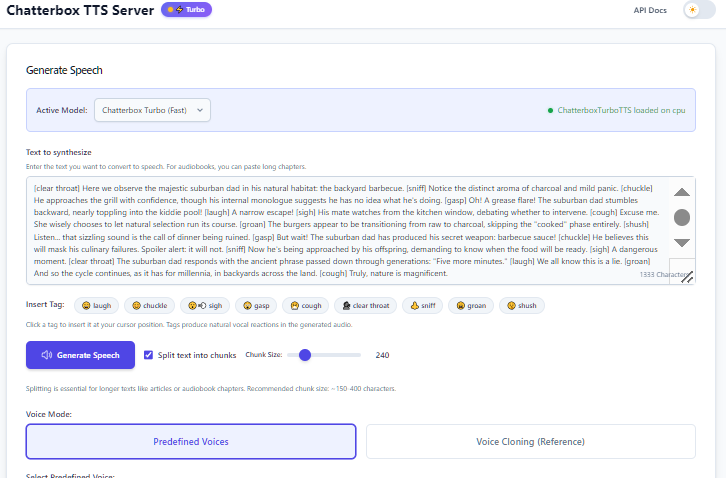
Technical Challenge: Chatterbox has a 40-second limit per generation, so I divide the script into smaller paragraphs that fit within this constraint.
2. Audio Processing & Transcription
Once the voiceover is generated, it needs to be refined and transcribed:
- Audio Compilation: Edit out unnecessary noise and mistakes
- Segmentation: Divide into 2-minute segments for optimal processing
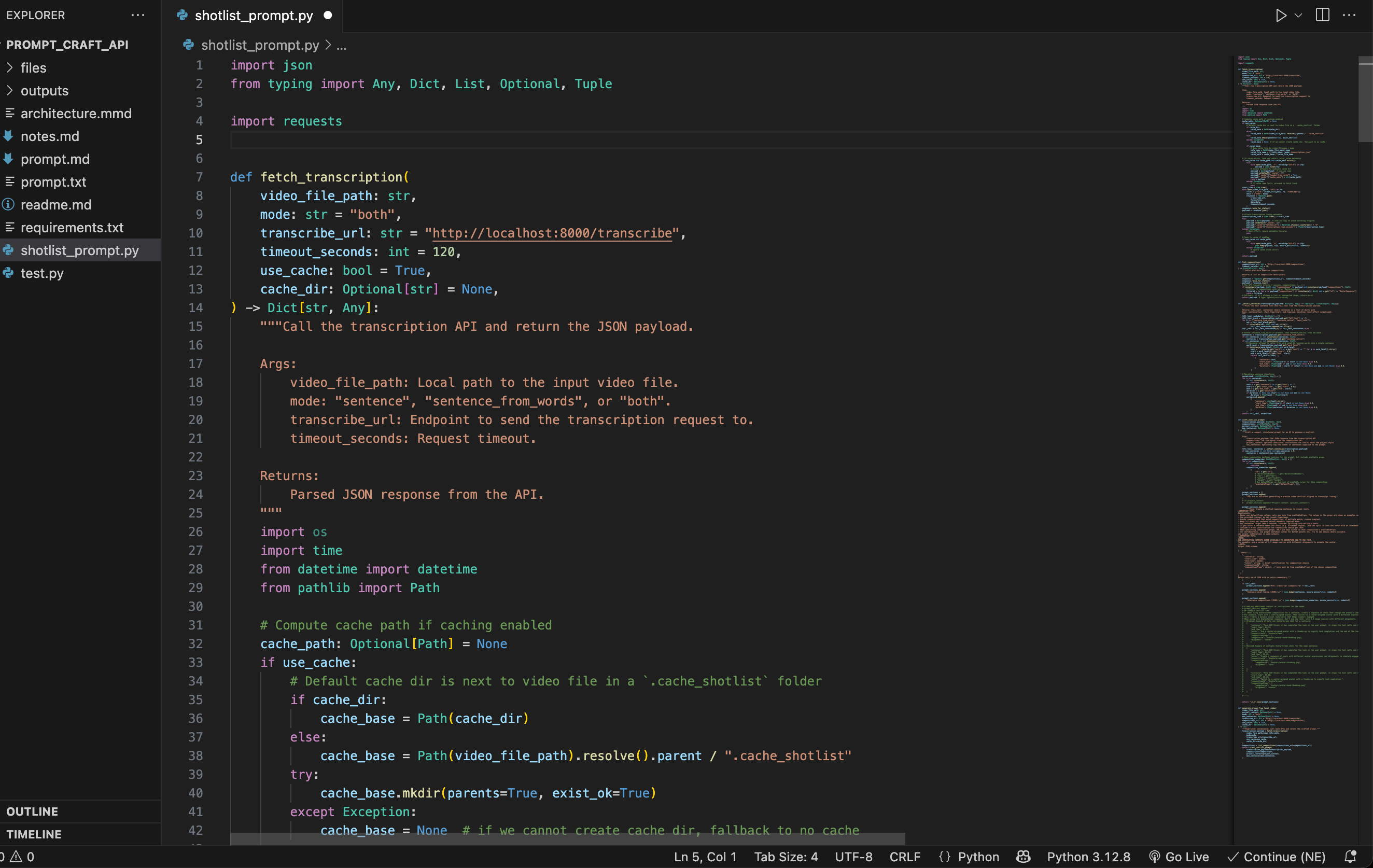
- Transcription: Use faster_whisper library for word-level and sentence-level timestamps
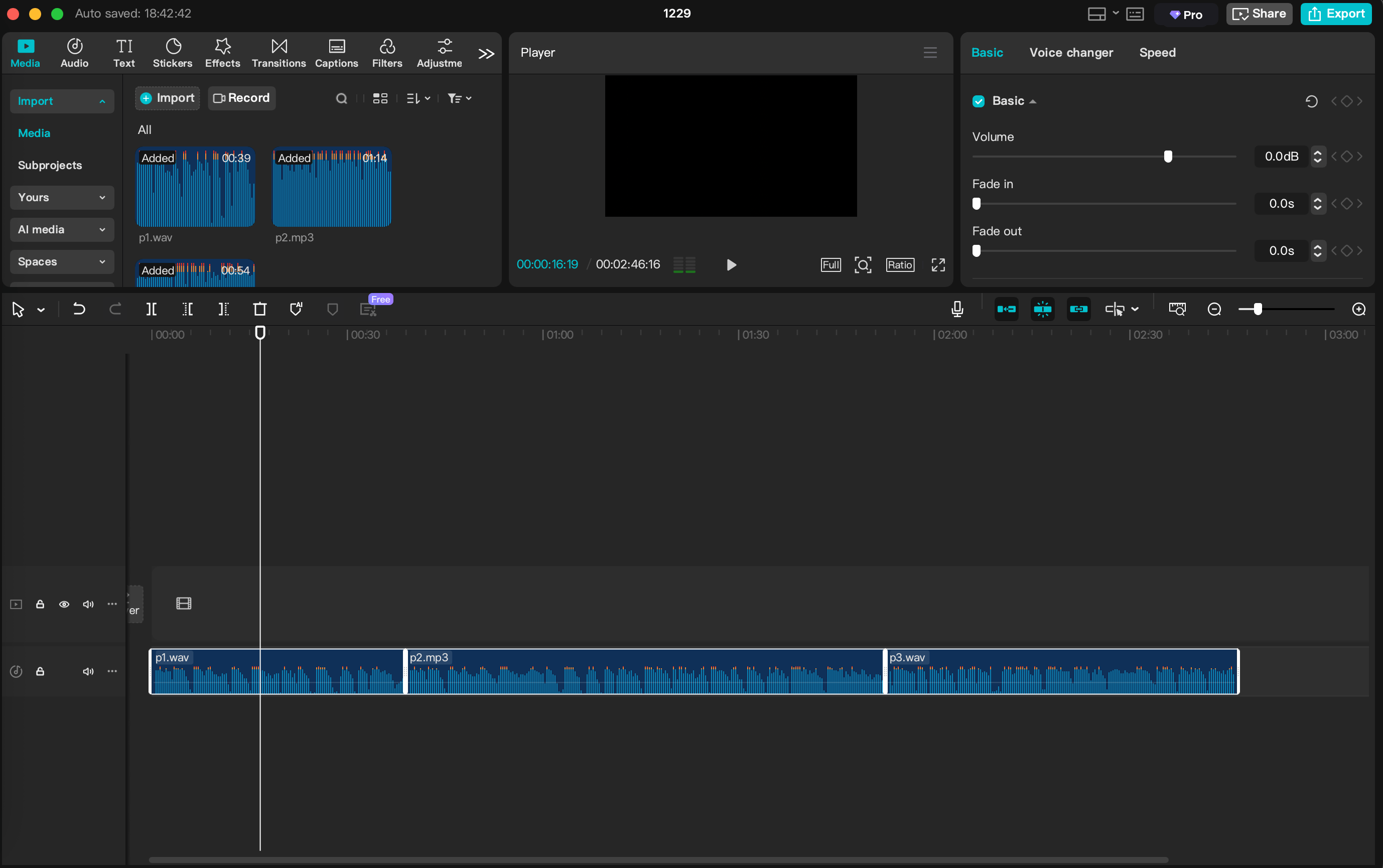
I'm using capcut to assemble the wav files generated by chatterbox, then I remove the noises, gaps and then cut them into max 2 minute chunks. This is somewhat manual to ensure quality control.
Custom Solution: I built my own sentence-level timestamp extractor because the default implementation sometimes cuts sentences in the middle, which breaks my shot list generation.
3. AI-Powered Shot List Generation
This is where the magic happens - using AI to plan the visual content:
- Remotion Integration: Leverage the JavaScript framework's composition system
- Available Shots: Query the
/compositionsendpoint to get available shot types - AI Planning: Send transcript + available compositions to Gemini AI
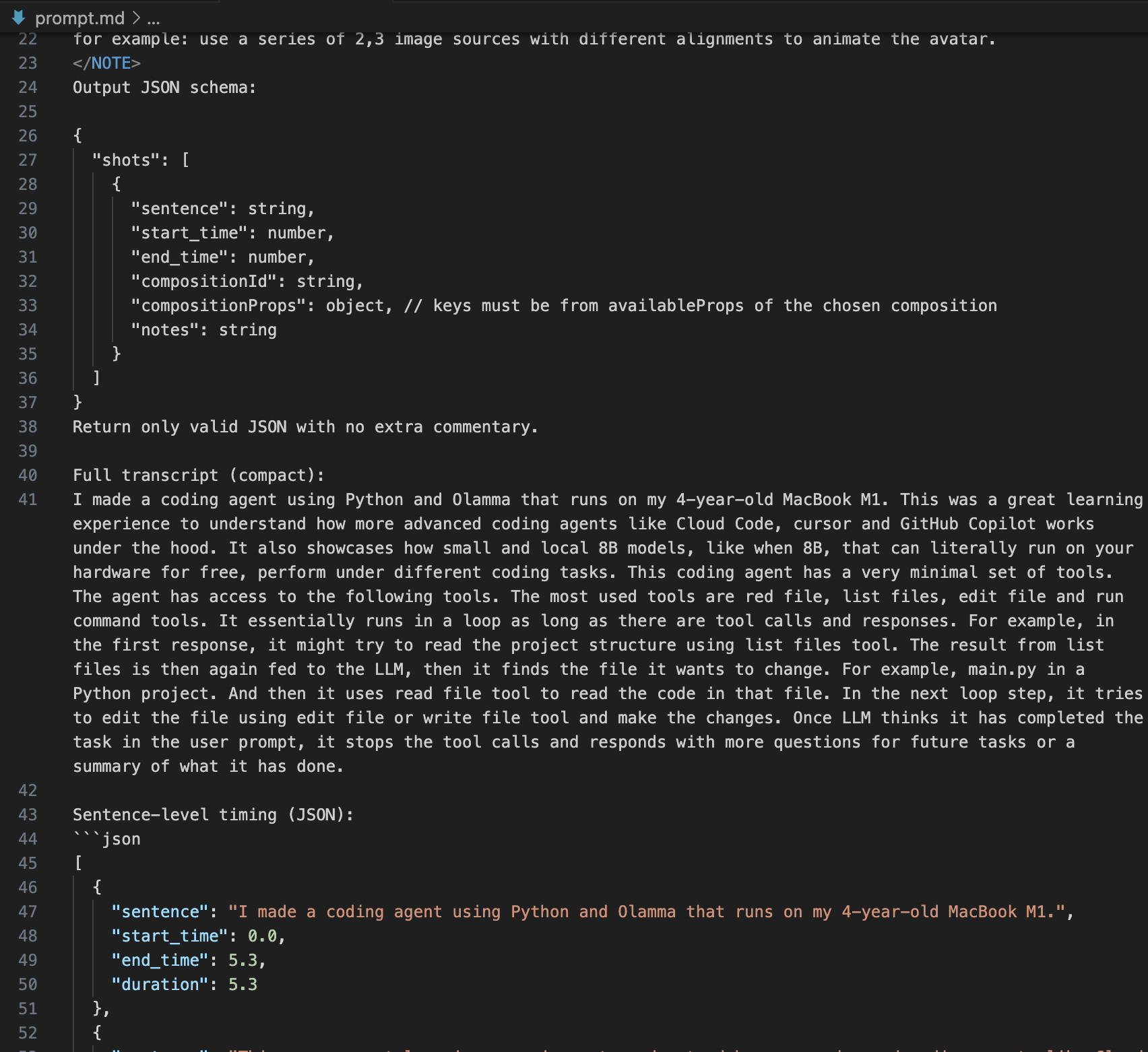
- Structured Output: Receive JSON with sentence timing and composition data
I have a prompt craft api that pings the /compositions endpoint to get available compositons. it also has the voiceover files that it sends to the transcription endpoint, to get word level and sentence level timestamps. it then creates a prompt with the avalable composions some system prompt and also the transcription json.
4. Video Assembly & Rendering
The final step brings everything together:
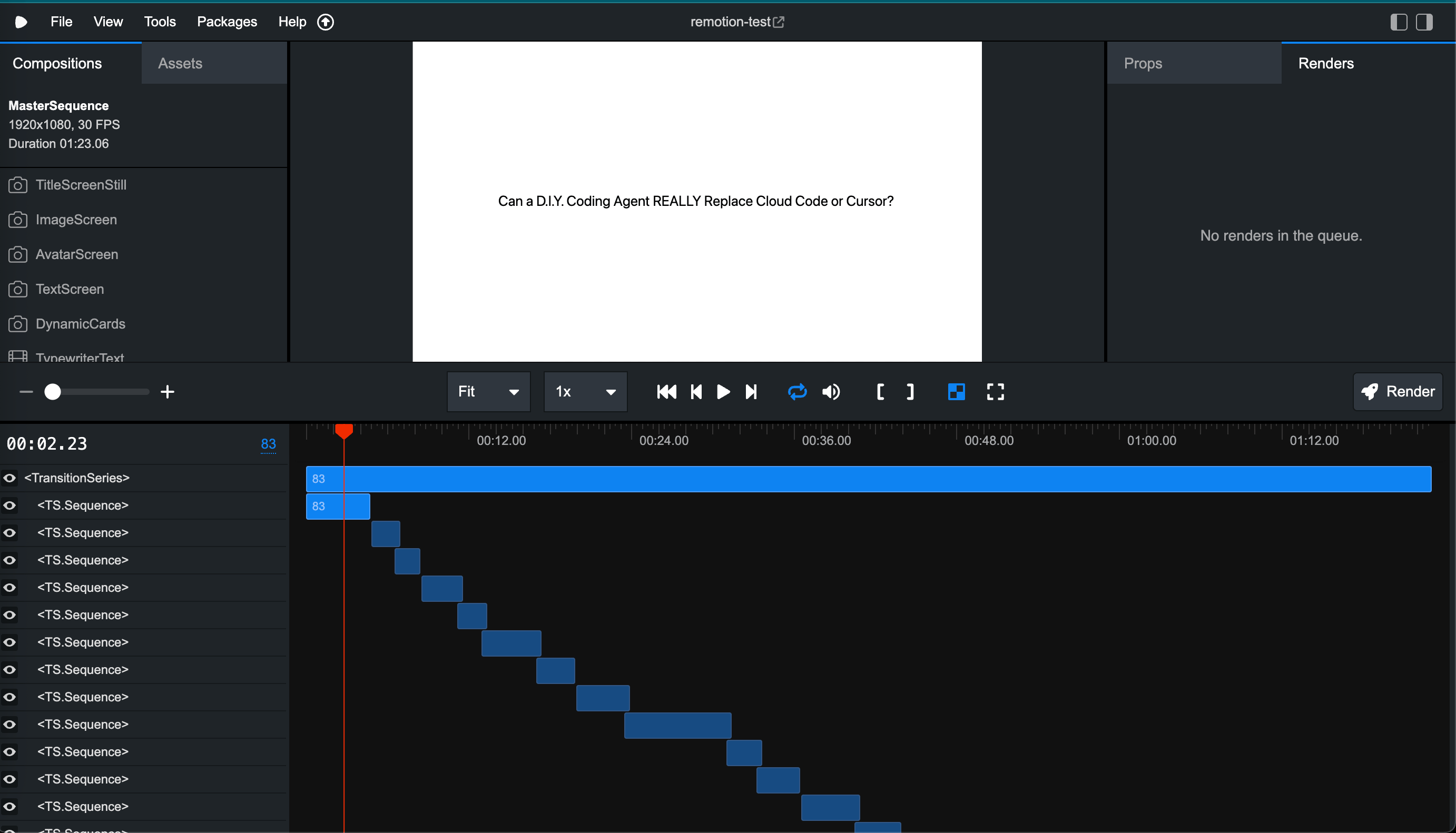
- MasterSequence Composition: Converts the JSON shot list into a timeline
- Integrated Audio: No need for external NLE editors like Premiere Pro
- Smart Transitions: Applied to only 50% of shots to avoid visual overload
- Direct Rendering: Export final video from the Remotion timeline
Technical Implementation
The system processes 1-2 minute voiceover segments from a complete 4-6 minute script to generate accurate transcriptions. Each segment goes through:
- Whisper Transcription → Word/sentence timestamps
- Custom Sentence Extraction → Complete sentence boundaries
- Gemini AI Planning → Visual shot recommendations
- Remotion Rendering → Final video output
Here's a visual representation of the workflow:
Key Benefits
- Reduced Manual Work: Automates script-to-video pipeline
- Consistent Quality: AI ensures proper timing and visual flow
- Human Oversight: Maintains creative control and quality assurance
- Scalable Process: Can handle multiple video projects efficiently
Future Improvements
- Expand beyond 4-5 minute video limit tackling the context limit challenge of llms
- Add more shot types / composotions for visual variety.
- Multi shot sequence for sentences that need them
- Automated image and video retreival and integration.
Conclusion
This semi-automated system represents a significant step toward more efficient video content creation. While AI handles the technical heavy lifting, human creativity and quality control remain essential for producing engaging content. The combination of modern AI tools with traditional video editing principles creates a powerful workflow that's both efficient and maintainable.
Have you experimented with AI-powered video creation? I'd love to hear about your experiences and any improvements you've discovered!